Claude Skills for Code Quality: Reviews, Testing & Security
How to use Claude Skills to automate code reviews, testing, and security audits. Practical guide with real examples for review-pr, webapp-testing, and code-auditor skills.
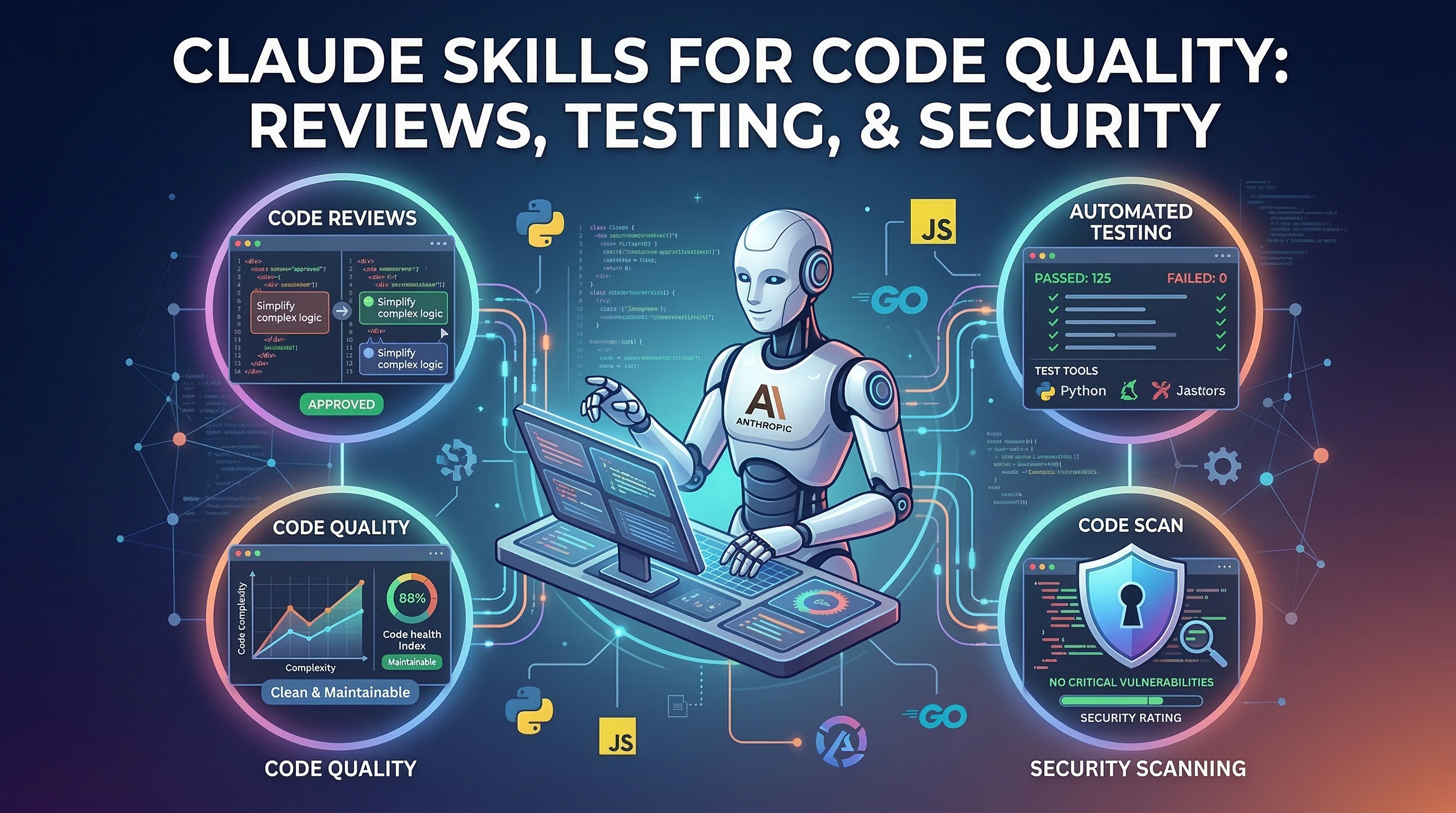
Writing code is getting faster. Reviewing it, testing it, and auditing it for vulnerabilities is not keeping up. That gap is where Claude Skills have the clearest return on investment.
This guide walks through the code quality skills available in the Claude Skills Hub that directly address three distinct bottlenecks: pull request review, automated testing, and security auditing. Each section covers what the skill does, how to invoke it, and what the output actually looks like — so you know what you are getting before you install anything.
The Problem with AI-Assisted Code Quality
Claude Code can write a feature in minutes. The harder challenge is that it reviews its own output poorly. An AI writing code and reviewing the same code has an obvious blind spot: it tends to validate the assumptions baked into the original implementation rather than question them.
The solution the Claude Skills community has converged on is specialization. Instead of asking Claude to do everything, you give it focused skills that run separate review passes with different lenses. This is why the most effective code quality skills in the catalog use multi-agent patterns — one agent writes, separate agents review, and a coordinator aggregates the results.
Skill 1: Review Local Changes
Skill: Review Local Changes Stars: 433 | Category: dev, testing
Review Local Changes is the right tool for the step before a pull request exists. It runs six specialized reviewer agents against your uncommitted or locally staged changes, each examining a different dimension of code quality simultaneously.
The six reviewer roles are:
- Security reviewer: looks for injection risks, secrets exposure, improper authentication, and OWASP Top 10 patterns
- Bug reviewer: checks for null pointer risks, off-by-one errors, race conditions, and resource leaks
- Code quality reviewer: flags violations of SOLID principles, DRY failures, and naming inconsistencies
- Contract reviewer: checks that API signatures, data structures, and interface promises are honored
- Test coverage reviewer: identifies which code paths have no test coverage and proposes specific test cases
- History reviewer: compares the change against recent commits to detect regression risk and context mismatches
Invoking it is a single command in Claude Code:
# Review everything not yet committed
/review-local-changes

# Review only staged changes
/review-local-changes --staged-only

# Focus on security and bugs only
/review-local-changes --focus security,bugs
The output is a structured report with a confidence score per finding (0–1.0) and a false-positive filter that suppresses findings below a configurable threshold. This matters because raw AI code review output often floods you with low-quality noise; the confidence scoring keeps the signal-to-noise ratio usable.
A typical session looks like this: you finish implementing a feature, run /review-local-changes, and get back a list of eight findings. Four are medium-confidence style observations, two are high-confidence security issues (a SQL query built with string interpolation, a missing authorization check), and two are test coverage gaps for the new code paths. You fix the two security findings immediately, add the missing tests, and now your PR is cleaner before a human ever sees it.
Skill 2: Review Pull Request
Skill: Review Pull Request Stars: 433 | Category: dev, testing
Where Review Local Changes operates before a PR exists, Review Pull Request integrates directly with GitHub to review an open pull request and post inline comments using the GitHub CLI.
The skill requires gh to be installed and authenticated. Once that is in place, you point it at any PR by number:
# Review PR #142 in the current repo
/review-pr 142

# Review a PR with a focus on the API contract dimension
/review-pr 142 --focus contracts

# Review and auto-generate an updated PR description
/review-pr 142 --update-description
The --update-description flag is particularly useful. It reads the actual diff, compares it against the existing PR title and description, and rewrites the description to accurately reflect what the code does. Many teams use this as a cleanup step after the implementation is done but before requesting review from teammates.
The inline comment posting works by converting each finding into a GitHub review comment attached to the specific line in the diff. This means reviewers see the AI findings in-context rather than in a separate document, which reduces the friction of acting on them.
One important note on scope: Review PR is not a substitute for understanding intent. The skill catches mechanical and structural issues reliably. It will not tell you whether the feature is the right feature to build, or whether the architecture decision will cause problems in two years. Human review should focus on exactly those higher-order questions — the skill handles the rest.
Skill 3: Web App Testing
Skill: Web App Testing Stars: 5,300 | Category: dev
Web App Testing is the most widely deployed testing skill in the catalog, with 5,300 GitHub stars. It connects Claude Code to Playwright to run UI verification and debugging against a locally running web application.
The workflow is:
- Start your local dev server
- Tell the skill what you want to verify
- It generates and runs Playwright tests against your running app
- Returns a structured result with screenshots for failures
# Verify that login flow works end-to-end
/webapp-testing "User can log in with valid credentials and is redirected to dashboard"

# Check that form validation prevents empty submissions
/webapp-testing "Contact form shows error message when email field is empty"

# Full smoke test of the checkout flow
/webapp-testing "User can add item to cart, proceed to checkout, and reach confirmation page"
The natural language specification format is what makes this practical. You describe the behavior you expect in plain English, and the skill translates that into Playwright code, executes it, and reports the result. You do not need to write selectors or manage browser state — the skill handles that.
For projects without existing E2E test suites, Web App Testing is frequently used in a discovery mode: run it against user flows you care about, observe which ones fail, then use the generated Playwright code as the starting point for a proper test file.
Skill 4: Codebase Auditor
Skill: Codebase Auditor Stars: 350 | Category: dev, security
The previous three skills address incremental quality at the commit and PR level. Codebase Auditor is for stepping back and looking at the whole picture — it runs a comprehensive audit across six dimensions and produces a prioritized action plan.
The six audit dimensions are:
- Architecture: coupling, cohesion, separation of concerns, dependency directions
- Code quality: complexity metrics, duplication, dead code, naming consistency
- Security: OWASP Top 10 coverage, dependency vulnerabilities, secrets detection
- Performance: N+1 queries, missing indexes, synchronous I/O in async contexts
- Test coverage: coverage gaps, test quality, missing integration tests
- Maintainability: documentation gaps, onboarding friction, build complexity
# Full audit of the current directory
/code-auditor

# Audit with a focus on security and performance
/code-auditor --dimensions security,performance

# Audit a specific subdirectory
/code-auditor --path ./src/api
The output format is a prioritized action plan organized by severity: Critical, High, Medium, and Low. Each finding includes the specific file and line where applicable, a plain-language explanation of the risk, and a suggested fix. The security section maps findings to OWASP identifiers, which is useful if you are working toward compliance requirements.
Codebase Auditor is most useful in two scenarios: onboarding to an unfamiliar codebase (run it first to get a map of the technical debt), and pre-release quality gates (run it before a major version bump to surface anything that should block the release).
Combining Skills: A Practical Workflow
These skills compound well. A realistic daily workflow using all four looks like this:
During development:
# Write code with Claude Code
# Before committing, run local review
/review-local-changes --staged-only
Fix anything high-confidence before pushing. Commit.
After pushing and opening a PR:
# Point at the open PR
/review-pr 247 --update-description
The PR description gets updated to reflect what was actually built. Inline comments appear for reviewers. Fix the issues flagged as high-priority.
Before merging to main:
# Verify key user flows still work
/webapp-testing "Core checkout flow completes successfully"
/webapp-testing "User authentication with 2FA is functional"
If either test fails, you catch it before it hits production.
Quarterly or pre-release:
# Full audit to surface systemic issues
/code-auditor --dimensions security,architecture
This surfaces the debt that accumulates between PRs — the patterns that are technically fine in isolation but problematic at scale.
What These Skills Do Not Replace
Being precise about scope matters. These skills handle well-defined, mechanical quality checks reliably. They do not handle:
- Architectural decisions: whether your chosen approach is the right one for your constraints
- Business logic correctness: whether the feature actually satisfies the user requirement
- Cross-service integration risks: issues that only appear when multiple systems interact in production
- Performance under real load: Playwright tests against localhost do not replicate production traffic patterns
The Superpowers skill has broader workflow commands that address some of these higher-order concerns — it includes TDD workflows, systematic debugging, and brainstorming commands that go beyond pure code review.
For security-specific needs, the FFUF Web Fuzzing skill adds active penetration testing capability that Codebase Auditor's static analysis cannot replicate.
Getting Started
If you are new to these skills, the recommended starting order is:
- Install Review Local Changes and use it for one week on every feature you write. Build the habit of running it before every commit.
- Add Review PR once the first skill feels natural. Configure it to post inline comments on your next PR.
- Add Web App Testing when you have user flows that are not covered by existing automated tests.
- Run Codebase Auditor at the end of the month to see what the four weekly reviews collectively missed.
Each skill is available for download from the Claude Skills Hub. The installation is a single file added to your .claude/skills/ directory.
Code quality is not a gate you open once before shipping. It is a continuous process, and these skills are designed to make that process low-friction enough to actually run on every commit.