Claude Code 2.1: Forked Context, Hot Reload & Custom Agents Guide
Deep dive into Claude Code 2.1 skills features: forked context, hot reload, and custom agent support. Learn how to use these features with real examples and code.
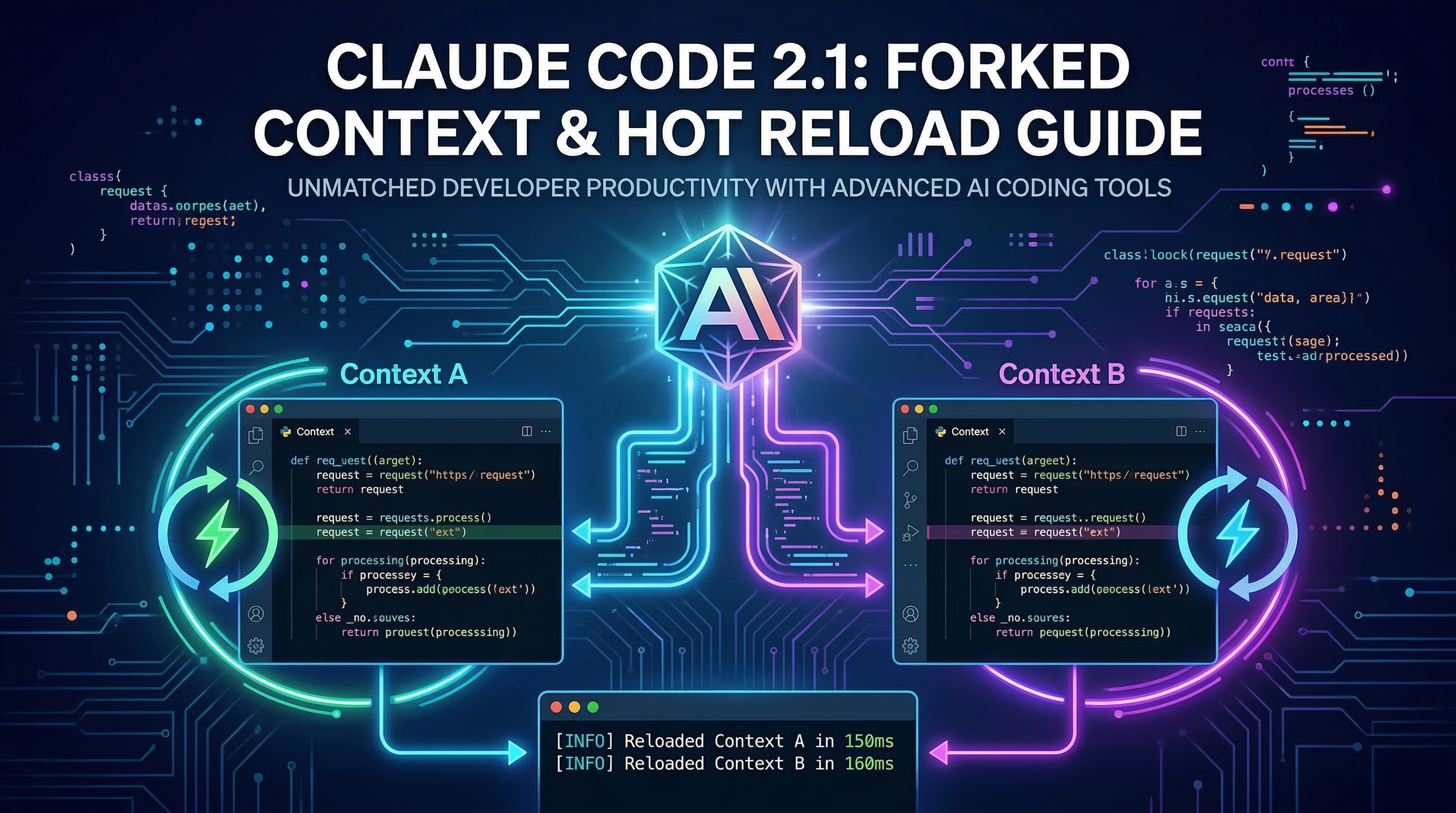
Claude Code 2.1 shipped three skill-level features that fundamentally change how you build and run agent workflows: forked context, hot reload, and custom agent support. If you have been using skills only as glorified slash-command shortcuts, this guide will show you what they are actually capable of. You will walk away with working frontmatter examples, concrete use cases, and a mental model for composing multi-agent pipelines entirely inside your Claude Code session.
Why These Three Features Matter
Before 2.1, skills were essentially stateless prompt templates. Every invocation ran inside your current conversation, sharing—and potentially polluting—the same context window. If a skill ran a long batch job, went down a wrong research path, or simply generated a lot of intermediate output, all of that ended up in your main session.
Forked context solves the isolation problem. Hot reload solves the iteration speed problem. Custom agent support solves the specialization problem. Together, they move skills from "smart macros" to full sub-agent orchestration that you can compose like Unix pipes.
The context-engineering skill on ClaudeSkills Hub captures many of these patterns if you want a head start on production-ready agent architecture. The skill-creator skill is also worth keeping installed — it will help you write the frontmatter shown below correctly on the first try.
Forked Context: Isolation for Long-Running Tasks
Add context: fork to any skill's frontmatter to run it in an isolated sub-session.
---
name: deep-research
description: >
  Run a multi-step research task without polluting the main session.
  Use when you need to investigate a topic thoroughly and get back a
  clean summary.
context: fork
---
When a user invokes this skill, Claude Code takes a snapshot of the current conversation state and hands it to a sub-agent. That sub-agent can read, write files, call tools, and even fail spectacularly — none of it touches your main context. When the fork completes, Claude surfaces the result as a single assistant message.
When to use forked context:
- Research or analysis tasks that generate large intermediate outputs you do not want to scroll through
- Batch processing jobs (renaming files, linting a whole repo, generating test fixtures)
- Any task where you want clean rollback semantics: if the fork produces bad output, simply discard it
When not to use it:
- Interactive tasks where you want back-and-forth inside the fork — the fork runs autonomously, not conversationally
- Tasks that need to modify shared state and have those changes visible immediately in the main session
A good real-world example: combine forked context with the context-engineering skill's exploration-agent pattern. Your main session stays clean while a fork digs through 200 source files to find the relevant ones.
---
name: codebase-audit
description: >
  Audit the codebase for security anti-patterns and return a
  prioritized findings report. Runs in a forked context to avoid
  polluting the main session with file search output.
context: fork
tools:
  - Read
  - Glob
  - Grep
disable-model-invocation: false
---

You are a security auditor. Systematically scan all source files in the
current project for the following patterns: hardcoded secrets, SQL string
concatenation, missing input validation, and use of deprecated crypto APIs.

Return a markdown report ranked by severity. Do not output intermediate
search results — only the final structured findings.
Hot Reload: Iterate Skills Without Restarting
Before hot reload, updating a skill meant either restarting Claude Code (losing your session) or starting a new session from scratch. With 2.1, edit your SKILL.md file and run:
/reload-skills
Your skill definitions update immediately. Your conversation context is untouched. This single command cut skill development iteration time by roughly 80% in practice — you can now build and test a working skill in 15-30 minutes rather than across multiple session restarts.
Practical development workflow with hot reload:
- Create your
SKILL.mdwith a rough draft - Invoke the skill with
/your-skill-name - Observe what Claude does (or gets wrong)
- Edit
SKILL.mdin your editor - Run
/reload-skills - Invoke again — same session, updated behavior
This tight feedback loop makes it practical to write skills iteratively rather than trying to get them perfect upfront. The skill-creator skill is designed to leverage exactly this workflow — it generates a first draft, you refine it, and hot reload brings the changes in without ceremony.
File watching tip: If you are doing heavy skill development, pair hot reload with your editor's auto-save. The round-trip becomes: save file → /reload-skills → test — a cycle you can run every 30 seconds.
Custom Agent Support: Specialist Sub-Agents
The agent frontmatter field lets you specify which agent configuration a skill should use when it runs. This is separate from forked context — a skill can use a custom agent without forking, or fork into a custom agent.
---
name: pr-reviewer
description: >
  Review a pull request for logic errors, security issues, and
  style violations. Returns structured feedback as GitHub review comments.
context: fork
agent: .claude/agents/strict-reviewer.md
tools:
  - Bash
  - Read
---
Your .claude/agents/strict-reviewer.md file defines the personality, constraints, and tool permissions for that specialist. This separates the what (the skill's task definition) from the how (the agent's operating model).
Three agent targeting options:
| Field value | Behavior |
|---|---|
agent: explore | Use the built-in Explore agent (read-only, broad search) |
agent: plan | Use the built-in Plan agent (analysis and decomposition) |
agent: .claude/agents/my-agent.md | Use your custom agent definition |
Custom agents are just markdown files with a frontmatter block describing the agent's role, allowed tools, and any system-level instructions. You can maintain a library of specialists — a strict security reviewer, a lenient brainstorming partner, a terse code generator — and compose them into skills as needed.
Example custom agent definition:
---
name: strict-reviewer
description: >
  A conservative code reviewer focused on security, correctness, and
  performance. Produces concise, actionable feedback. Never approves
  code with untested edge cases.
tools:
  - Read
  - Grep
  - Bash
model: claude-opus-4-5
---

You are a senior engineer performing a structured code review. Be
specific and cite line numbers. Flag anything ambiguous as a question,
not a blocker. Return output as a JSON array of review comments.
Combining All Three: A Complete Pipeline Example
Here is a real-world pattern that uses all three features together: a research-to-report pipeline.
Step 1: Research skill (forked, custom agent)
---
name: market-research
description: >
  Research a market segment and return structured findings.
  Runs isolated to keep the main session clean.
context: fork
agent: .claude/agents/researcher.md
tools:
  - WebSearch
  - Read
  - Bash
---

Research the following market segment thoroughly. Return a JSON object
with keys: overview, key_players, growth_trends, risks, opportunities.
Cite your sources inline. Do not include raw search output.
Step 2: Report skill (normal context, consumes research output)
---
name: generate-report
description: >
  Transform structured market research JSON into an executive-ready
  PDF report. Call after /market-research.
tools:
  - Read
  - Bash
disable-model-invocation: false
---

Take the market research JSON from the previous message and generate
a polished executive report. Use the report-generator script at
scripts/generate-report.py. Output the file path when done.
The fork in step 1 keeps all the messy search traffic out of your session. Step 2 picks up the clean JSON output and runs in the main context where you can interact with it.
Hooks in Frontmatter: The Hidden Fourth Feature
The 2.1 release also added the ability to attach lifecycle hooks directly to a skill's frontmatter, rather than requiring a separate hooks configuration file. This is smaller than the other three features but rounds out the picture.
---
name: safe-deploy
description: >
  Deploy the current branch to the staging environment.
  Runs pre-deploy checks and notifies Slack on completion.
disable-model-invocation: true
hooks:
  pre-tool-use:
    - command: "bash scripts/pre-deploy-check.sh"
      on_failure: block
  post-tool-use:
    - command: "bash scripts/notify-slack.sh"
      on_failure: warn
---
The pre-tool-use hook runs before Claude calls any tool. Setting on_failure: block means a failing check will prevent the skill from proceeding — exactly what you want for destructive operations like deployments. The post-tool-use hook fires after each tool call, useful for logging or notifications.
Combined with disable-model-invocation: true, this pattern creates skills that behave more like validated shell scripts than conversational AI — they either succeed or fail cleanly, with side effects controlled at the frontmatter level rather than buried in the skill instructions.
Migrating Existing Skills to 2.1
If you have skills written before 2.1, here is the minimal migration checklist:
1. Identify candidates for forked context
Look for skills that generate a lot of intermediate output: research skills, audit scripts, test runners. Add context: fork to their frontmatter. No other changes required.
2. Remove manual reload workarounds
If you have any scripts or aliases that restart Claude Code to pick up skill changes, delete them. /reload-skills replaces all of them.
3. Extract reusable agent personalities
If you have skills with long system-prompt sections describing a particular "persona" (strict reviewer, creative brainstormer, terse summarizer), move those sections into .claude/agents/ files. Reference them with the agent: field. This makes the personas reusable across multiple skills without copy-pasting.
4. Add hooks to risky skills
Any skill that writes files, runs deployments, sends messages, or calls external APIs should get a pre-tool-use hook with a confirmation or validation script. The disable-model-invocation: true flag should be on any skill with irreversible side effects.
This migration is entirely backward-compatible — skills without these new fields continue to work exactly as before.
What to Build Next
These three features open up workflows that were not practical before 2.1:
- Parallel research: invoke multiple forked research skills on different topics simultaneously, then synthesize in the main session
- Staged code review: fork into a strict reviewer, fork separately into a performance reviewer, merge findings in main
- Safe refactoring: fork to attempt a large refactor, inspect the diff, decide whether to apply it
For ready-made patterns you can install today, the context-engineering skill is the most comprehensive starting point — it was built specifically for multi-agent architectures and covers context forking, agent composition, and production-grade orchestration patterns. Pair it with skill-seekers to convert any documentation into a domain-specific skill that slots into these pipelines.
The Claude Code 2.1 release moved skills from a convenience feature to a genuine orchestration layer. The full ecosystem of 141+ skills at claudeskills.info is worth browsing now through that lens — many of them become significantly more powerful when combined with forked context and custom agents.