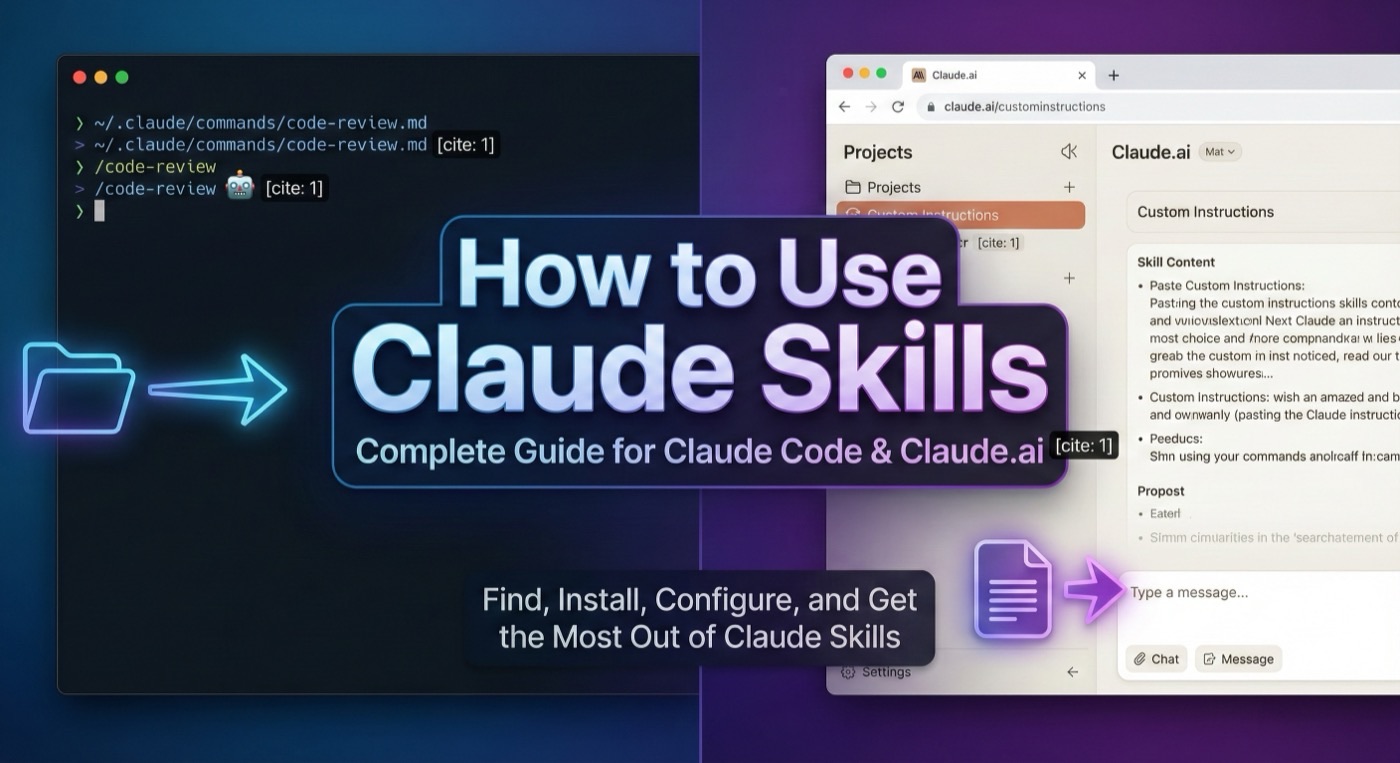
How to Install Claude Skills: Step-by-Step Setup Guide
Learn how to install Claude Skills in Claude Code step by step. Complete guide for downloading, installing, and configuring Claude Skills from GitHub and Claude Skills Hub.

Learning how to install Claude Skills takes less than five minutes. This guide walks you through every method for installing Claude Skills — from cloning a GitHub repository to downloading a ZIP from Claude Skills Hub. By the end, you will know how to install Claude Skills for any project.
Prerequisites for Installing Claude Skills
Before you install Claude Skills, confirm the following:
- Claude Code CLI installed: Claude Skills require Claude Code (the terminal-based AI coding assistant). Install Claude Code with
npm install -g @anthropic-ai/claude-codeif you have not done so. - A
.claude/directory: Claude Code reads Claude Skills from a.claude/directory either in your home folder (~/.claude/) for global Claude Skills or in a project root for project-scoped Claude Skills. - Node.js 18 or later: Required by the Claude Code CLI to run Claude Skills.
Verify your setup:
claude --version
If the command returns a version number, you are ready to install Claude Skills.
How to Install Claude Skills from GitHub
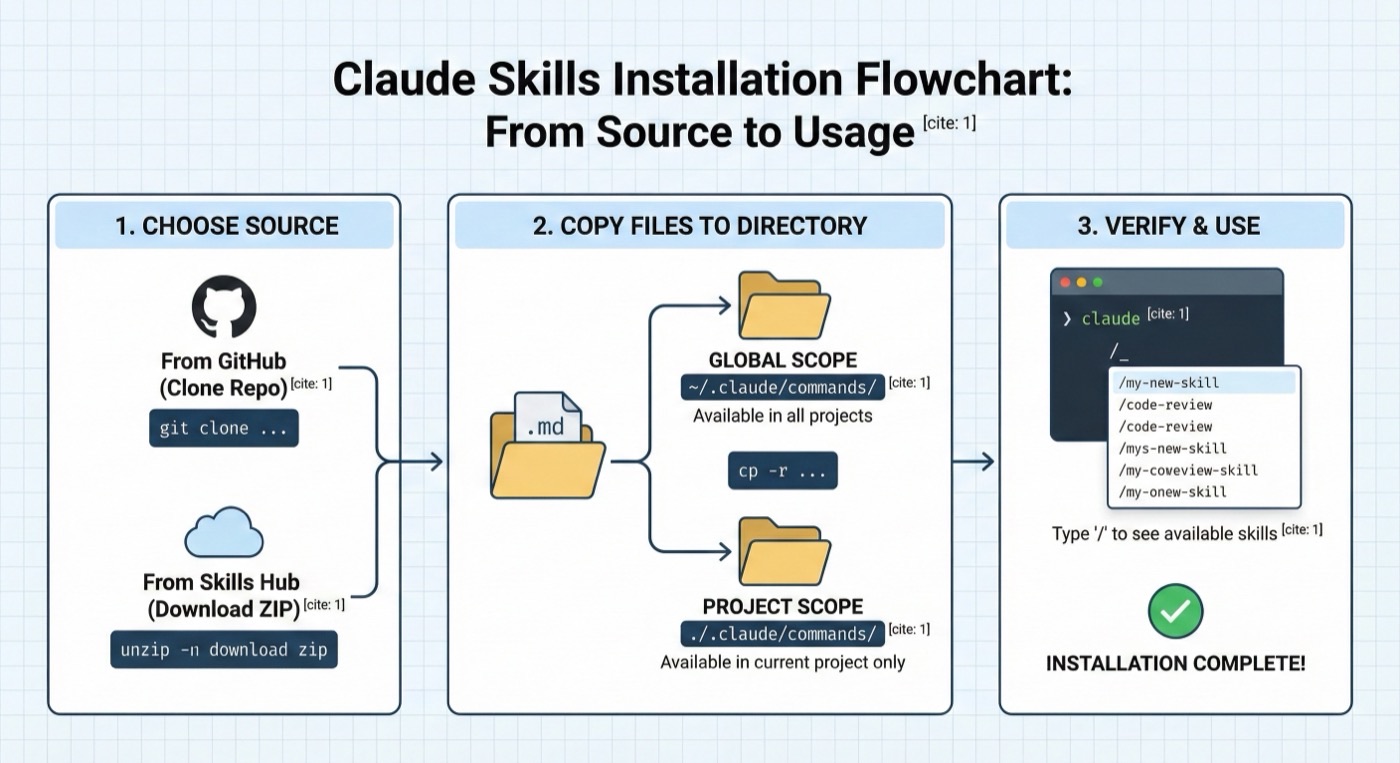
Many Claude Skills published on Claude Skills Hub link to a public GitHub repository. Cloning directly is the most flexible way to install Claude Skills and makes future updates straightforward.
Clone the Claude Skill Repository
git clone https://github.com/author/skill-name.git
Copy Claude Skill Files to Your .claude/ Directory
Claude Skills are stored as markdown files inside a commands/ subdirectory. After cloning, install the Claude Skills by copying them:
# Install Claude Skills globally (works in every project)
cp -r skill-name/.claude/commands/* ~/.claude/commands/

# Install Claude Skills for a specific project only
cp -r skill-name/.claude/commands/* ./.claude/commands/
If the commands/ directory does not exist yet, create it before installing Claude Skills:
mkdir -p ~/.claude/commands
Verify Claude Skills Are Installed
ls ~/.claude/commands/
You should see one or more .md files representing the Claude Skills you just installed.
How to Install Claude Skills from Claude Skills Hub
Claude Skills Hub offers a one-click ZIP download for every Claude Skill in the catalog. This is the fastest method to install Claude Skills for users who do not want to work with Git.
Step 1: Browse and Select a Claude Skill
Visit browse all Claude Skills and locate the Claude Skill you want to install. Click the skill card to open the detail page.
Step 2: Download the Claude Skill ZIP
Click the "Download ZIP" button on the Claude Skill detail page. Your browser saves a .zip file containing all the Claude Skill files.
Step 3: Extract and Install the Claude Skill
# Extract the Claude Skill archive
unzip skill-name.zip -d skill-name

# Install the Claude Skill to your commands directory
cp -r skill-name/.claude/commands/* ~/.claude/commands/
Some Claude Skills include additional assets such as templates or configuration files. Check the included README for any extra steps needed to fully install the Claude Skill.
How to Add Claude Skills to Claude Code
The core mechanic for adding Claude Skills to Claude Code is simple: Claude reads any markdown file placed in .claude/commands/ and makes it available as a slash command.
Directory Locations for Claude Skills
| Location | Scope |
|---|---|
~/.claude/commands/ | Global — Claude Skills available in all projects |
./.claude/commands/ | Project — Claude Skills available only in current project |
Install a Claude Skill Manually
If you already have a Claude Skill markdown file, install it by copying directly:
cp my-skill.md ~/.claude/commands/my-skill.md
Claude Code picks up newly installed Claude Skills without requiring a restart. Open a conversation and type / to see your installed Claude Skills listed among available commands.
Naming Conventions for Claude Skills
- Use lowercase kebab-case filenames:
code-review.md,write-tests.md - The filename (without
.md) becomes the slash command name - Avoid spaces and special characters when naming Claude Skills
Verifying Installed Claude Skills
After installing Claude Skills, confirm everything is working before relying on them in a real project.
Check Installed Claude Skills
ls ~/.claude/commands/
# or for project-scoped Claude Skills:
ls ./.claude/commands/
List Available Claude Skills in Claude Code
Open Claude Code in your terminal and type / to trigger the command palette. Your installed Claude Skills should appear in the list by their filename (without .md).
Test an Installed Claude Skill
Invoke the Claude Skill with a simple request to verify Claude interprets it correctly:
claude
Then type /skill-name and provide minimal input. If Claude follows the workflow defined in the Claude Skill file, the installation succeeded.
Troubleshooting Claude Skills Installation
- Claude Skill does not appear in the command list: Confirm the file extension is
.mdand the filename contains no spaces. - Claude ignores the Claude Skill instructions: Check that the frontmatter is valid YAML with both
nameanddescriptionfields. - Permission errors when installing Claude Skills: Run
mkdir -p ~/.claude/commandsto ensure the directory exists with correct permissions.
Managing Multiple Skills
As your library of installed Claude Skills grows, a few practices keep things organized.
Use Project-Scoped Skills for Team Workflows
Install skills specific to a codebase inside the project's .claude/commands/ directory and commit to version control. Every team member gains the same skills without manual setup.
git add .claude/commands/
git commit -m "Add project skills"
Keep Global Skills Minimal
Limit your ~/.claude/commands/ directory to skills you use across multiple projects — general utilities like code review, documentation generation, or test writing. Project-specific skills belong in the project directory.
Update Skills
If you installed Claude Skills by cloning their GitHub repository, pulling updates is straightforward:
cd skill-name
git pull
cp -r .claude/commands/* ~/.claude/commands/
Remove a Skill
Delete the corresponding markdown file to uninstall:
rm ~/.claude/commands/skill-name.md
The skill disappears from the command palette immediately.
Now you know how to install Claude Skills from GitHub, from Claude Skills Hub, and manually. With everything set up, explore the full catalog to discover more skills for productivity, development, and creative work. When you are ready to go further, learn how to use Claude Skills or how to create custom Claude Skills.