Claude Skills for Creative Design: From Generative Art to Production UI
Learn how Claude Skills transform visual design workflows — from algorithmic generative art to branded UI, animated GIFs, and professional-grade frontend interfaces.
Most developers know Claude Skills as tools for writing code, reviewing pull requests, or summarizing documents. The creative side of the ecosystem is far less explored — yet some of the most technically sophisticated skills in the entire collection are aimed squarely at visual design. This tutorial walks through four high-impact creative workflows you can start using today, from generative algorithmic art to production-ready frontend interfaces.
Why Creative Skills Are Different
Skills designed for text output operate in a well-understood space: Claude reads instructions, applies a style or framework, and produces prose. Creative visual skills require something more: they have to translate abstract aesthetic intent into deterministic, reproducible artifacts — whether that's a PNG file, a p5.js canvas, or a branded HTML component.
The best creative skills in the Claude ecosystem solve this with a two-step pattern:
- Philosophy-first prompting — you describe the feeling or movement you want, not implementation details
- Parameterized generation — the skill handles code structure, then exposes sliders and seed controls so you can explore variations without re-prompting
This philosophy-first approach means designers with no JavaScript background can produce sophisticated generative outputs, while developers can extend the same skills into automated asset pipelines.
Algorithmic Art: Generative Visuals with Seeded Randomness
The Algorithmic Art skill is the most starred creative skill in the ecosystem (5,300+) and one of the most technically impressive. Under the hood it uses p5.js with a seeded PRNG, which means every piece is simultaneously unique and reproducible.
What it produces: Interactive HTML canvases with full parameter controls — flow fields, particle systems, noise-based color gradients, and recursive geometric structures.
How to prompt it well: Describe an aesthetic philosophy rather than a technical recipe.
Algorithmic philosophy: "tension between order and entropy"
Movement: particles follow a magnetic field grid, occasionally
breaking free into chaotic arcs. Color palette shifts from
cold blues at order extremes to warm ambers at chaos peaks.
The skill translates that description into a working p5.js sketch with interactive controls for field strength, particle count, and entropy level. The UI includes seed navigation buttons (Previous / Next / Random / Jump to seed) so you can step through the phase space of your algorithm without touching the code.
A concrete use case: A design agency wanted a unique hero animation for each client micro-site. Instead of commissioning one-off animations, they defined a single algorithmic philosophy, locked it in the SKILL.md, and used seed values derived from each client's brand color hex codes. The result: 50 visually distinct but thematically coherent animations, all generated in a single afternoon.
# Reproducible generation workflow
# 1. Generate the artifact in Claude with Algorithmic Art skill loaded
# 2. Note the seed displayed in the UI (e.g., seed: 4721)
# 3. Document it in your design system
# Seed 4721 → always produces the same visual, on any machine, any time
Canvas Design: Static Art at Print Resolution
Where Algorithmic Art generates interactive code, Canvas Design produces finished static pieces in PNG and PDF formats — suitable for print, social media, and presentation decks.
The skill follows the same philosophy-first approach: you describe a visual movement (think "brutalist minimalism" or "retro-futurist chromatic noise") and the skill handles layout, typography placement, and color field construction.
Workflow example: Generating a poster series
Visual philosophy: "early Soviet constructivism meets contemporary data viz"
Content: Event poster for a developer conference, April 2026
Key text: "Build With Agents" — headline
Subtext: "ClaudeConf 2026 / San Francisco"
Color constraint: strictly two colors + white
Canvas Design will produce multiple compositional variants you can evaluate before committing. For a series, you lock the philosophy and vary only the content — the skill maintains visual coherence across all pieces automatically.
When to choose Canvas Design over Algorithmic Art: If your final deliverable is a static image (poster, social card, print piece), Canvas Design gives you print-quality output directly. Algorithmic Art is better when the interactivity or generativity is part of the deliverable — generative wallpapers, live data art, randomized NFT collections.
Frontend Design: Production-Grade UI from Intent
The Frontend Design skill (5,700 stars) tackles a different problem: translating UI intent into genuinely high-quality HTML and CSS that stands up to professional scrutiny.
Most LLM-generated UI looks like a default Bootstrap page — competent but generic. Frontend Design counters this with explicit guidance on typography scale, spatial rhythm, motion curves, and background treatments. The skill's SKILL.md contains a detailed aesthetic framework the model uses to make design decisions, so outputs have a consistent authorial voice.
What makes it different from a basic "build me a dashboard" prompt:
| Plain prompt | With Frontend Design skill |
|---|---|
| Default system fonts | Deliberate font pairing with optical sizing |
| 8px grid, no rhythm | Modular scale with consistent vertical rhythm |
| Flat backgrounds | Layered backgrounds — gradients, noise, grid overlays |
| Static hover states | Intentional micro-animations with easing curves |
Integration with other creative skills: Frontend Design is the strongest starting point for a design system pipeline. After generating the initial interface, run the Brand Guidelines skill to apply a specific brand's color and typography, then use Theme Factory to generate light and dark variants with professionally paired color palettes.
Step 1 — Frontend Design:
"Create a SaaS pricing page with a three-tier plan layout.
Aesthetic: confident, minimal, with considered use of negative space.
Include monthly/annual toggle with smooth transition."

Step 2 — Brand Guidelines (on the same artifact):
"Apply the brand color system: primary #2563EB,
surface #F8FAFC, accent #7C3AED.
Typography: Inter for body, Fraunces for display headings."

Step 3 — Theme Factory:
"Generate a dark mode variant using the 'Obsidian' preset
with adjusted contrast ratios for WCAG AA compliance."
Each step builds on the last. The final artifact is a production-ready component with consistent branding and full accessibility compliance — work that would typically require a designer, a front-end developer, and an accessibility review.
Web Asset Generation: The Unglamorous Work, Automated
Every app needs favicons, PWA icons, and Open Graph images. The Web Asset Generator skill handles all of it from a single input: your logo or a text-based brand mark.
It generates:
- Favicon sets (16×16, 32×32, 48×48
.ico) - PWA icon manifest entries (192×192, 512×512)
- Open Graph images sized for Facebook, Twitter/X, WhatsApp, and LinkedIn
- Apple Touch Icons
This is the kind of task that typically requires Figma, a design handoff, and a developer manually resizing PNGs. With the skill loaded, the entire set is produced in one conversation turn.
Input: "Generate a complete web asset set for 'Orion'.
Brand mark: stylized 'O' in SF Pro Rounded,
midnight blue (#0A0F2C) on white background."

Output: Complete asset manifest + individual files ready for deployment
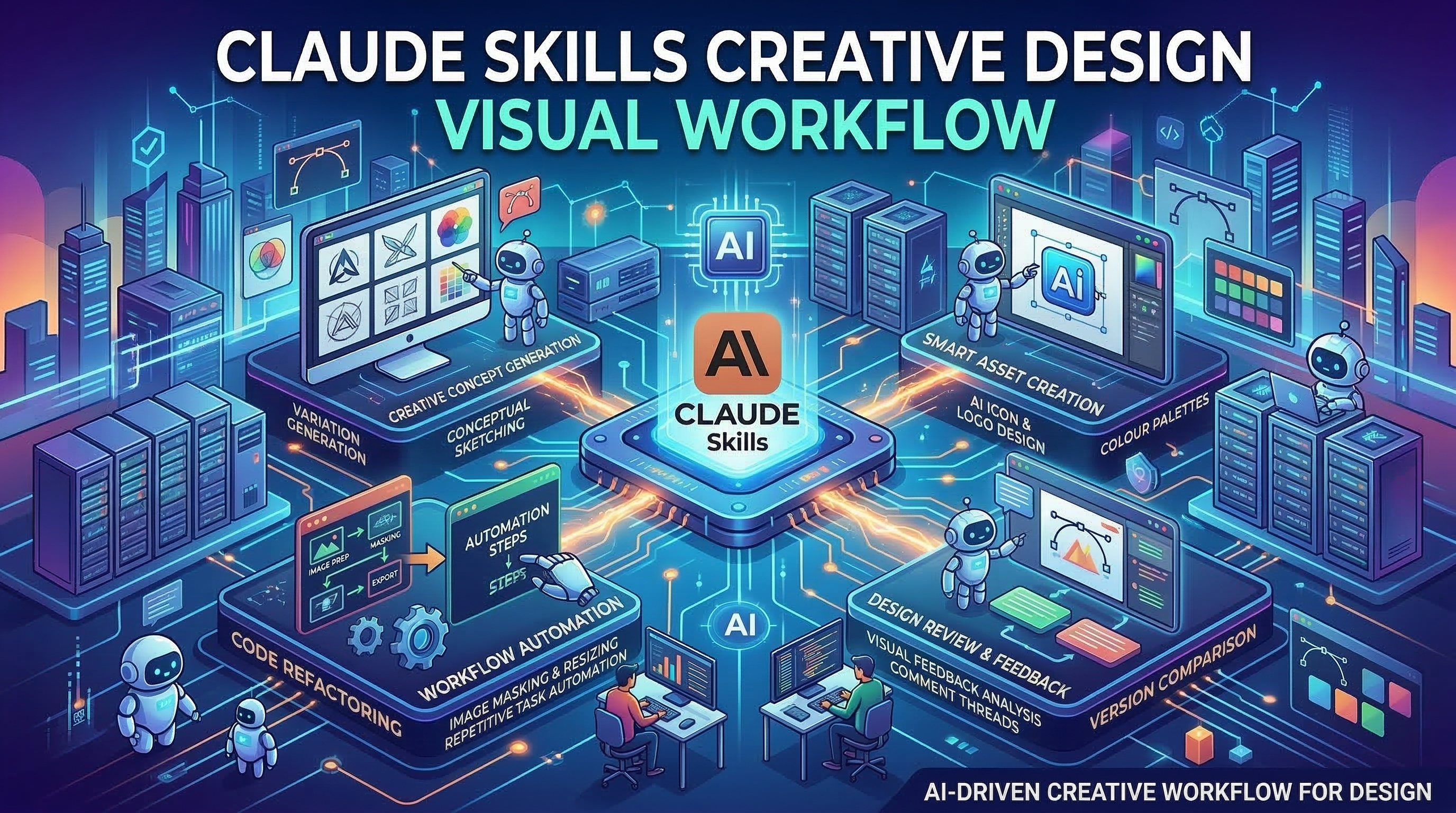
Building a Visual Workflow with Multiple Skills
The most powerful creative workflows combine skills in sequence. Here's a complete example for launching a new product:
- Conceive the visual identity with Canvas Design — define the aesthetic philosophy once, generate poster and social card variants
- Build the landing page with Frontend Design — using the same color vocabulary from step 1
- Apply brand consistency with Brand Guidelines — ensure all artifacts share typography and color tokens
- Generate assets with Web Asset Generator — produce the full favicon and OG image set
- Add motion with Slack GIF Creator — animated versions of the brand mark for communication channels
Each skill is independently useful. Together they cover the full visual design surface of a product launch, all within a single Claude Project.
Getting Started
Install any creative skill the same way: copy the SKILL.md content and add it to your Claude.ai Project Instructions, or reference it in your CLAUDE.md if using Claude Code.
Browse all creative skills at claudeskills.info — filter by the "creative" or "design" category to find skills sorted by community adoption and quality.
The creative skills ecosystem is one of the fastest-growing areas of the Claude Skills collection. Whether you're a developer automating design work, a designer exploring generative aesthetics, or a team building a consistent visual system at scale, there's a skill ready to transform your workflow.