AI Agent Memory and Tool Integration: Building Smarter Claude Skills Workflows
Learn how to build AI agent workflows with persistent memory and tool integration using Claude Skills. Step-by-step guide to agent memory systems, tool coordination, and production-ready agent architectures.
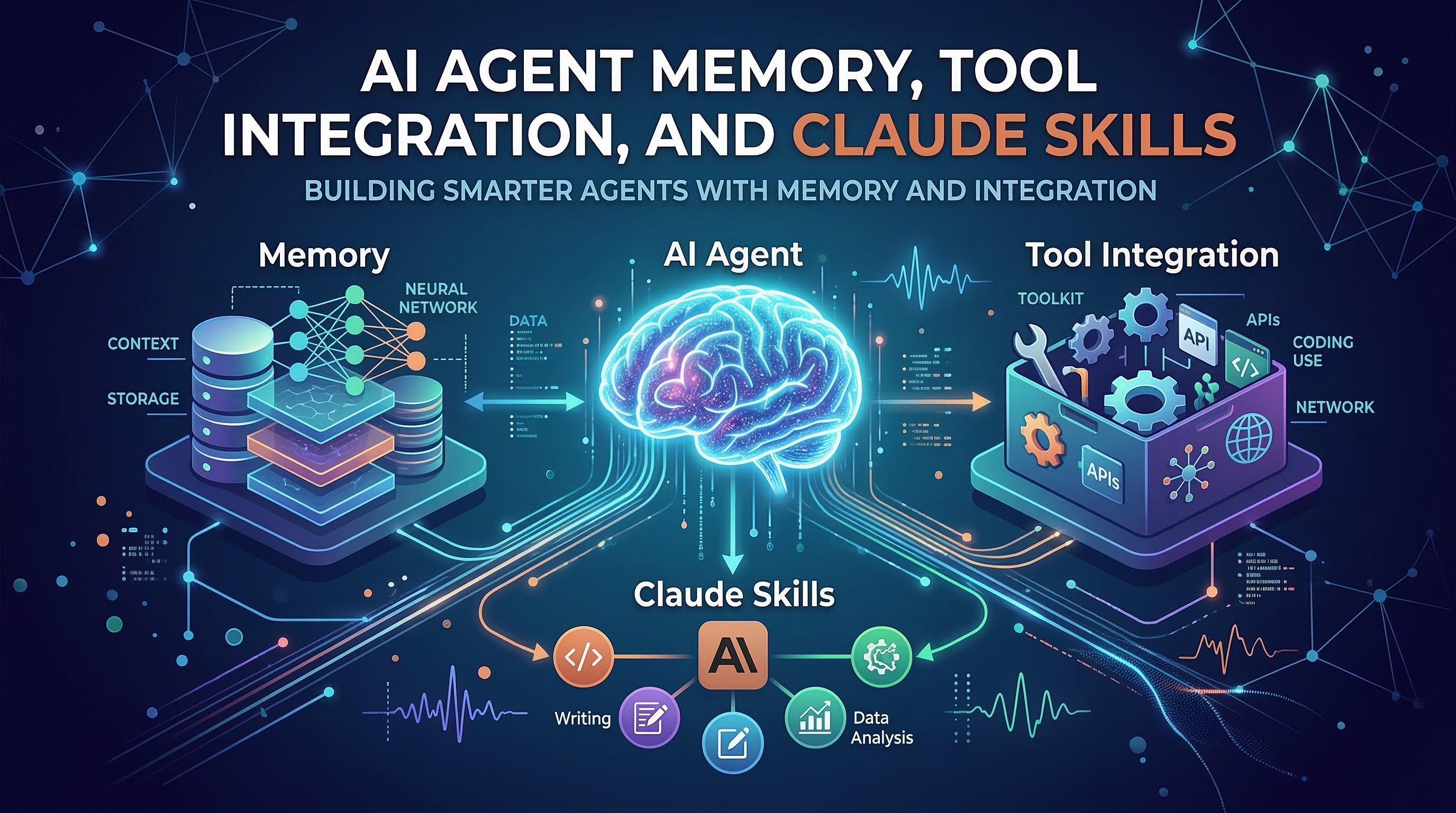
Most AI agent tutorials stop at the basics: prompt Claude, get a response, done. But production workflows are different. They span multiple sessions, call dozens of external tools, and need to remember decisions made yesterday. This guide covers the three dimensions that separate toy demos from production-grade Claude Skills agents: memory systems, tool integration patterns, and architectural choices that scale.
Why Agent Memory Changes Everything
A stateless agent is powerful but forgetful. Every conversation starts from zero—no knowledge of your codebase conventions, no awareness of which tasks are in progress, no record of past decisions. For single-shot tasks that is fine. For anything that takes more than one session, it breaks down fast.
Claude Skills solve this by externalizing memory into files that Claude reads at the start of each session. The skill file itself is the contract: it tells Claude exactly what to remember, where to store it, and how to use it.
Consider the difference:
Without memory: "Review this PR" — Claude reviews it with no context about past reviews, your team's style guide, or which issues you already discussed.
With memory: "Review this PR" — Claude loads project-memory/review-history.md, sees the last 10 PRs reviewed, your team's recurring issues, and the conventions you established last month. The review is immediately more relevant.
Three Agent Memory Patterns
Pattern 1: In-Session Accumulation
The simplest form of memory. The agent builds up context within a single conversation window and uses it to make better decisions as the task progresses.
A skill that implements this pattern might look like:
## Workflow
1. Before taking any action, list all files you plan to touch and your reasoning
2. Maintain a running decision log in your working memory:
   - What you changed and why
   - What you tried that didn't work
   - Open questions for the user
3. At the end, summarize decisions made and next steps
This works well for tasks that complete in one session—refactoring a module, writing a feature, debugging a bug. The limitation is obvious: close the terminal and the memory is gone.
Pattern 2: Cross-Session File Memory
For work that spans days or weeks, skills can instruct Claude to read from and write to dedicated memory files. The pattern is consistent across community skill repositories:
## Memory Protocol
**On session start:**
- Read `AGENT_MEMORY.md` if it exists
- Read `project-state.json` for current task status
- Greet the user with a summary of where you left off

**On session end (or when user says "save" or "checkpoint"):**
- Update `AGENT_MEMORY.md` with key decisions made
- Update `project-state.json` with current task status
- List any blockers or questions for next session
The memory file structure matters. Flat files get unwieldy fast. A well-designed memory schema separates:
- Decisions (immutable, timestamped): architectural choices, accepted trade-offs
- State (mutable): current task, in-progress work, open PRs
- Knowledge (evolving): codebase conventions, team preferences, recurring patterns
Skills from the community like levnikolaevich/claude-code-skills implement this pattern with structured JSON state files, making it trivial to inspect and debug the agent's memory from outside Claude.
Pattern 3: Tool-Mediated State
The most robust approach stores memory in systems designed for it: databases, key-value stores, or version-controlled files. The agent doesn't manage the storage format—it calls tools that do.
## State Management
- Read current sprint state: `gh project list --owner @me`
- Read task details: `gh issue view {issue_number}`
- Write task updates: `gh issue comment {issue_number} -b "{update}"`
- Track decisions: append to `docs/decisions/ADR-{number}.md` and commit
This approach gives you a full audit trail, human-readable state, and the ability to query history. It also integrates naturally with existing team workflows—the agent's memory is just another contributor to your git history.
Tool Integration Patterns
Memory tells the agent what happened. Tools tell it what it can do. The richness of your tool set directly determines the complexity of workflows you can automate.
MCP Server Integration
Model Context Protocol servers expose capabilities as structured tool definitions that Claude can call natively. A skill that integrates MCP tools declares the servers it expects:
## Required MCP Servers
- `filesystem`: read and write project files
- `github`: interact with PRs, issues, and repositories
- `postgres`: query application database for context

## Tool Usage Guidelines
- Prefer MCP tools over CLI equivalents when both are available
- MCP tools provide structured errors; handle them explicitly
- Batch related tool calls to minimize round trips
The key discipline: skills should declare their tool dependencies explicitly. An agent that silently assumes tools are available creates hard-to-debug failures. An agent that checks for tools at startup and fails gracefully is far easier to operate.
CLI Tool Orchestration
Many of the best community skills orchestrate standard CLI tools rather than requiring custom MCP servers. This makes them immediately useful without any additional setup:
## Code Quality Check Workflow
1. Run linter: `npm run lint 2>&1 | tee .agent/lint-output.txt`
2. Run type check: `npx tsc --noEmit 2>&1 | tee .agent/type-errors.txt`
3. Run tests: `npm test -- --json > .agent/test-results.json`
4. Analyze all outputs together and produce a single prioritized report
5. For each critical issue, propose a specific fix with line numbers
The tee pattern is worth highlighting: it lets the agent capture tool output for later analysis while still showing it to the user in real time. The .agent/ directory serves as a scratch space for the session—temporary files that accumulate context without polluting the project.
API Integration via curl
For services without MCP servers or CLI tools, skills can call APIs directly:
## Deployment Check
After each successful test run:
1. Check current deployment status:
   `curl -s -H "Authorization: Bearer $DEPLOY_TOKEN" https://api.example.com/deployments/latest`
2. If status is "ready", trigger deployment:
   `curl -X POST -H "Authorization: Bearer $DEPLOY_TOKEN" https://api.example.com/deployments`
3. Poll for completion every 30 seconds (max 10 minutes)
4. Report final status and URL
Skills that use API calls should always specify where secrets come from (environment variables, never hardcoded), handle rate limits explicitly, and define timeout behavior.
Practical Example: A Code Review Agent with Memory
Here is how these patterns combine in a real-world skill. This agent remembers past review decisions and uses tools to create a richer review than any single-session agent could.
Skill file: code-review-with-memory.md
# Code Review Agent with Memory

You are a code reviewer with institutional knowledge of this project.

## Session Start Protocol
1. Read `.agent/review-memory.md` if present — this contains:
   - Recurring issues found in past reviews
   - Team conventions established through discussion
   - Authors and their typical patterns
2. Run `git log --oneline -20` to understand recent history
3. Run `gh pr list --state open` to see what else is in flight

## Review Process
For each file changed:
1. Check against conventions in `.agent/review-memory.md`
2. Run `npx eslint {file} --format json` and analyze output
3. Check test coverage: `npx jest --collectCoverageFrom='{file}' --coverage`
4. Look for patterns that appeared in previous reviews

## Feedback Format
- Group issues by severity: blocking / important / suggestion
- For recurring issues, note "this is the 3rd time we've seen X — consider adding a lint rule"
- For good patterns, note them positively — reinforce what works

## Session End Protocol
After the review is complete:
1. Update `.agent/review-memory.md` with:
   - New recurring patterns identified
   - Conventions clarified during this session
   - Authors' areas of strength and growth
2. Commit the memory file: `git add .agent/review-memory.md && git commit -m "chore: update review memory after PR #{pr_number}"`
After 10 reviews with this agent, the review memory file becomes one of the most valuable documents in your repository—a living record of your team's evolving standards.
Production Deployment Considerations
Skills that manage state and call external tools need more careful operational design than stateless scripts.
Idempotency: Design tool calls so they can be safely retried. Write state before calling tools, not after. If a tool call fails partway through, the agent should be able to resume from where it left off.
Secrets management: Skills should never contain credentials. Define which environment variables are required at the top of the skill file. Use your existing secrets manager (1Password CLI, AWS Secrets Manager, etc.) to populate them.
Scope limits: Production agents need guardrails. A skill that can write files, call APIs, and run CLI tools can also cause real damage. Define explicit boundaries:
## Scope Constraints
- NEVER push directly to main or master branches
- NEVER delete files without explicit user confirmation
- NEVER make API calls that cost money without showing the estimated cost first
- Read-only mode is available: prepend commands with "analyze only, do not modify"
Observability: The .agent/ scratch directory pattern doubles as an audit log. Each session's tool outputs, intermediate analysis, and decision rationale are preserved. Add .agent/ to .gitignore for transient files, but commit session summaries to give your team visibility into what the agent did.
Failure modes: Define what happens when tools are unavailable. An agent that silently skips tool calls produces subtly wrong output. An agent that fails loudly when a tool is missing is easier to fix.
Community Skills Worth Studying
Several repositories in the Claude Skills Hub demonstrate these patterns in production-quality form:
obra/superpowers-skills: Shows how to build task-oriented agents that pick up where they left off, with clean state serialization.levnikolaevich/claude-code-skills: Examples of cross-session memory implemented with JSON state files and explicit read/write protocols.mrgoonie/claudekit-skills: Demonstrates tool integration patterns with clear dependency declarations and graceful degradation when tools are unavailable.
Each of these repositories treats the skill file as a formal specification rather than a casual prompt. That rigor is what makes them reliable in production.
Key Takeaways
Building smarter Claude Skills agents comes down to three disciplines:
-
Design memory explicitly. Decide upfront what the agent needs to remember, where it lives, and when it is updated. Don't leave this to chance.
-
Declare tool dependencies. List required tools at the top of every skill. Check for them at startup. Fail loudly when they're missing.
-
Treat the skill file as a contract. It defines behavior, memory protocols, tool usage, and scope limits. When something goes wrong, the skill file is where you debug.
The community skills in Claude Skills Hub are the fastest way to see these patterns in action. Browse the repository collection, install a few skills that match your workflow, and study their memory and tool integration patterns before building your own.
The difference between a demo agent and a production agent is not the underlying model—it is the care put into the skill that guides it.